DLC CD 163: Difference between revisions
No edit summary |
No edit summary |
||
| Line 247: | Line 247: | ||
* '''Not an Autopilot:''' It is important to remember that ARR is '''not''' an autopilot designed for stopping at stations. | * '''Not an Autopilot:''' It is important to remember that ARR is '''not''' an autopilot designed for stopping at stations. | ||
Before using the automatic train brake, move the Drive Mode switch to the V (Coast) position. | Before using the automatic train brake, move the Drive Mode switch to the V (Coast) position. | ||
<nowiki><youtube>0Jd1PlsPsFg</youtube></nowiki> | |||
<!--T:14--> | <!--T:14--> | ||
Revision as of 17:48, 25 January 2026
The DLC featuring the ČD 163 "Peršing" locomotive brings one of Central Europe's most famous electric locomotives to SimRail. It is designed for players who appreciate classic design, characteristic traction, and the feeling of real railway service. The locomotive has been designed with an emphasis on atmosphere and realism – a fully functional cab, faithful driving characteristics, and authentic sounds create a powerful impression on every journey. The ČD 163 is ideal for regular passenger service as well as freight trains and is a timeless addition to the SimRail fleet. - Description from Steam DLC page.

Locomotive in reality
The 163 series locomotive "Peršing", derived from the 363 series, is based on the need to operate on lines with 3 kV DC voltage. In the early 1980s, the situation in rail transport began to change, with the 140 and 141 series locomotives due to be phased out in 1985 without sufficient replacements. This led to Škoda commissioning a new series of locomotives capable of operating under DC traction. Although a prototype of the 163 series was never built, prototypes of the two-system ES 499.1 locomotives (today's 363 series) were used for development. The 163 series locomotives are therefore part of the so-called second generation of Škoda locomotives.
The production of 163 series locomotives took place in 1984-1986 (factory designation 71E) and later in 1991-1992 (99E) in the Škoda company in Pilsen in cooperation with ČKD Polovodiče. In addition to the newly produced locomotives, several units of the 163 series were built as a result of the change of chassis from the 363 series to the 162 series in 1993-2008. These locomotives are used in the Czech Republic, Slovakia and previously in Italy to haul passenger and freight trains. At the same time, the 163 series locomotives are still active and successfully serving in their role as universal line locomotives. Some of these locomotives were previously leased to Poland, where they returned to the Czech Republic at the end of 2015.[1]
Locomotive parameters
| Traction | Electric | Maximum power | 3480 kW |
|---|---|---|---|
| Engine type | AL 4562 FiR | Maximum speed | 120 Km/h |
| Voltage | 3kV AC | Weight | 85 t |
Locomotive in the game

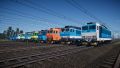
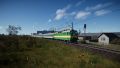
The development of this locomotive was announced on 12.12.2023 and will be available as DLC in the game since 25.01.2026. This DLC will contain a total of 11 reskins in the base version, and the price of this DLC has been set at 14€. DLC contains 4 reskins for ČD Cargo and 7 reskins for České dráhy - 4 reskins in the modern "najbrt" paint scheme and 3 old paint schemes. These versions do not differ greatly from the "original" ones that operate in the Czech Republic. These locomotives, which run in Poland, only have additional control buttons for the lights in the cab and an additional panel for SHP/Czuwak.
Serial numbers of locomotives that can be driven:
- 163 021-9 "Franek" (ČD Najbrt reskin)
- 163 029-2 "Beata" (ČD Najbrt reskin)
- 163 030-0 "Agata" (ČD Najbrt reskin)
- 163 034-2 (ČD Cargo reskin)
- 163 035-9 (ČD green old reskin)
- 163 040-9 "Edyta" (ČD Najbrt reskin)
- 163 041-7 "Kamila" (ČD green old reskin)
- 163 042-5 "Oliwia" (ČD ČEZ reskin)
- 163 043-3 (ČD Cargo reskin)
- 163 045-8 (ČD Cargo reskin)
- 163 046-6 (ČD Cargo blue reskin)
Basic parameters of this locomotive
- Maximum speed 120 Km/h
- Locomotive does not have ETCS.
- ARR (Automatic cruise control)
Locomotive controls


| 1. | Engine room lighting | 35. | Instrument lighting |
| 2. | Corridor lighting | 36. | Cab lighting |
| 3. | Undercarriage lighting | 37. | Headlamp top (Used in CZ) |
| 4. | Power supply (115 V) | 38. | Direction control |
| 5. | Battery | 39. | Vigilance button |
| 6. | Electronics power breaker | 40. | Drive handle |
| 7. | Battery breaker | 41. | Electrodynamic brake |
| 8. | Manual brake | 42. | Control mode |
| 9. | Pantograph front | 43. | Frequency |
| 10. | Pantograph back | 44. | Driving mode |
| 11. | Whistle | 45. | Relative power |
| 12. | Fan | 46. | ARR keyboard |
| 13. | Control panel lighting | 47. | Whistle |
| 14. | Diagnostic panel | 48. | Driving through speed limit |
| 15. | LVZ control (Only used in CZ) | 49. | Brake delay settings |
| 16. | LVZ cabin (Only used in CZ) | 50. | Sanding |
| 17. | Passive driving mode | 51. | Brake releaser |
| 18. | Headlamp top (Used in PL) | 52. | Local brake |
| 19. | Light dimming (Used in PL) | 53. | Service brake |
| 20. | Headlamp left (Used in PL) | 54. | Decouple |
| 21. | Headlamp right (Used in PL) | 55. | Increase shunting power |
| 22. | Cabin activation | 56. | Decrease shunting power |
| 23. | Train heating | 57. | Alerter dimming |
| 24. | Emergency drive | 58. | SHP dimming |
| 25. | Main switch | 59. | Grounding disconnector |
| 26. | Open main switch | 60. | Control panel lighting |
| 27. | Ventilators | 61. | Motor disconnector |
| 28. | Compressor II. | 62. | Cabin heating |
| 29. | Compressor I. | 63. | Diagnostics |
| 30. | Pantographs | 64. | Heating drainage |
| 31. | Signal light back left (Used in CZ) | 65. | Windscreen heating |
| 32. | Signal light back right (Used in CZ) | 66. | Horn |
| 33. | Signal light front left (Used in CZ) | 67. | Sanding |
| 34. | Signal light front right (Used in CZ) |
ARR (Automatic Speed Regulation) - Cruise Control
In the 163 series locomotives (known as "Peršing"), the ARR (Automatic Speed Regulation) system is more complex than in modern Pesa Elf (EN96) units, as it requires interaction with other systems, such as mode selection and current limitation settings. ARR control
- Turn on the ARR first. In "manual" mode, you control the proportional thrust with the drive controller, while in ARR mode, the computer takes over the power control to achieve the selected speed.
- Setting the target speed Use the ARR keyboard to select the desired speed. Using the drive controller, it is possible to adjust the desired speed by approximately 2 km/h. The value is shown on the speedometer display.
- Thrust limitation switch: Use the switch to adjust the speed at which proportional thrust is applied. In poor traction conditions (rain, ice), set a lower value to prevent the wheels from slipping.
- Starting: To start in ARR mode, follow this specific procedure: - After setting the desired speed and moving the direction lever to the "Forward" position, hold the driving mode in the "S" (Start) position until the locomotive reaches 5 km/h.
5. Stopping and braking
- Not an Autopilot: It is important to remember that ARR is not an autopilot designed for stopping at stations.
Before using the automatic train brake, move the Drive Mode switch to the V (Coast) position.
<youtube>0Jd1PlsPsFg</youtube>
Control mode / Driving mode / Relative power
R = manual (enter relative traction)
A = automatic (enter desired speed)
ZK = automatic test
Drive mode switch
P = parking
V = coasting - positive proportional thrust blocked
J = driving
S = consent - positive proportional thrust enabled
The "consent" position must be used for initial start-up (and the switch must be held in this position until a speed of 1.5 km/h is reached). It is also necessary to use this position to unblock positive proportional thrust again after manual intervention in the control using the EDB controller or the continuous train brake controller.
Relative power
Proportional thrust limitation in automatic mode
1-12 = thrust setting
1 = EDB disabled
7-12 = EDB power is 100% [2]
Axcle counter / Relative power
Axcle counter selection is used to set the length of the train in the speed controller (cruise control), with one axle corresponding to a length of six meters (and a maximum of 170 axles can be set).
Relative power controller controls the pulse converters of the traction motors' and excitation traction motors based on the relative power requirement. It also controls the converters of auxiliary drives (traction motor cooling fans, etc.).
Locomotive Cold start procedure
1. Switch on the batteries
2. Open the pantograph shut-off valves
3. Activate the cab
4. Switch on the auxiliary compressor (set compressor switch 1 to the PK position)
Wait for the auxiliary compressor to switch off automatically
5. Switch on the 115 V central power supply
6. Use the Override Protection button
7. Set the collector grounding switch to the P+Z position if there is no collector malfunction on the locomotive
8. Turn on the main switch (HV)
9. Raise the pantographs
10. Switch on compressor 2
Wait until the pressure in the main reservoir reaches 5 bar
11. Switch off the auxiliary compressor and switch on compressor 1
Wait for the compressors to switch off automatically
12. Turn on the radio
1e. Apply the auxiliary (locomotive) brake
14. Release the train brake and fill the main pipe
15. Release the hand brakes
16. Adjust the lights
17. Set the direction of travel to forward
The locomotive is ready to move.
Instructions taken from the TSC game and may differ slightly in the game, will be corrected.
Author of instructions: Maty
Locomotive malfunctions
- n/a
Gallery
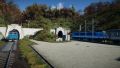
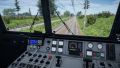
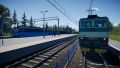
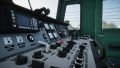
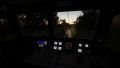
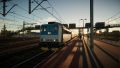
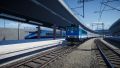
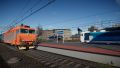
- Pics from Develop/Game
-
 Image from the development of the locomotive
 -
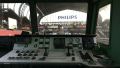 Image from the development of the locomotive
 -
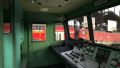 Image from the development of the locomotive
 -
-
-
-
-
-
-
-

-
-
-

-
-


DLC Info
| Model author: | Javor (CZ) |
| Date of announcement: | 12.12.2023 |
| Release date: | 25.01.2026 |
| Price: | 14 € |
| DLC will include: | 1 model / 11 reskins |
| Link to store: | Buy here |